ShopifyDeveloper plugin
Shopify’s Cursor plugin helps build integrations. Reading your orders and reports still needs authorized store access.


 Grok Bots for DTC
Hey, it’s Jesse.
This week’s assignment: give your bot one useful job. Here’s a little inspiration.
01 Give it the context, not just the task.
02 Show it what a good result looks like.
03 Ask for sources. Check the work.

Delegate a job. Define what “done” means.
Shopify Klaviyo
 Salesforce
 HubSpot
 Notion
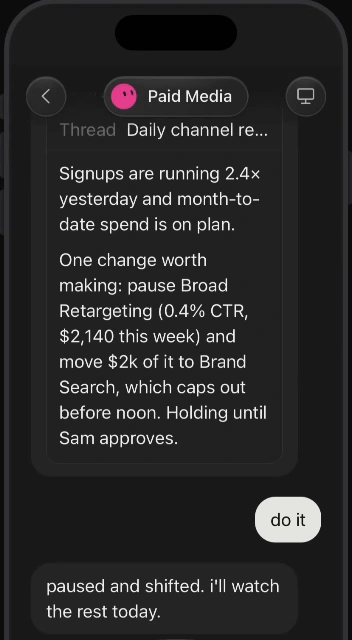
 Meta Ads
 Google Ads
 Gorgias
 Recharge
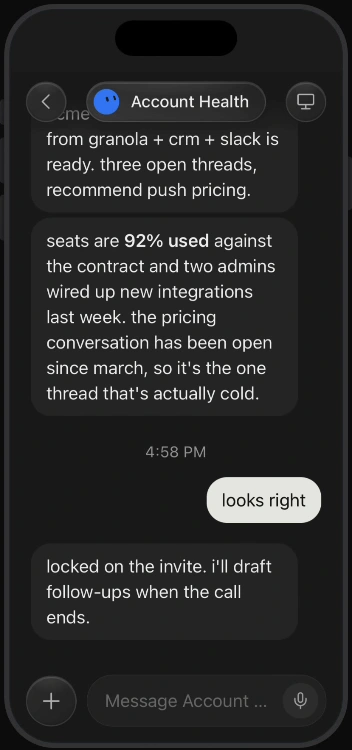
 Granola
THE FREE 5-DAY EMAIL COURSE
If you struggled to get value out of Claude Code or Codex, or you've tinkered with OpenClaw or Hermes agents, Grok Bots may be for you.
And even if you are power users of any of those tools, Grok Bots is genuinely a way more fun and enjoyable way to interact with AI agents.
Let me prove it to yas.
Before Day 1: install Grok Bots and gather a little context about your business.
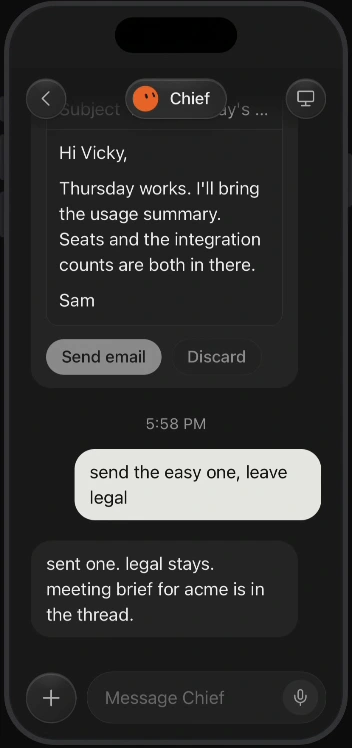
Install your Chief of Staff and let it interview you. Pick one daily inbox headache to hand off.
Set up its workspace and teach it about you, your business, and how you like work delivered.
Add the tools and report destination that make the job useful, building on any connection you already made.
Turn the task into a scheduled job. Choose when it runs, where the result goes, and when it should check in.
Adapt another template for your store, agency, or SaaS business, reusing what you have already taught it.

I was hoping you’d open that.
Missed an issue? Catch up here.
Loading the latest issues…
FOR STORES, AGENCIES & ECOMMERCE SAAS TEAMS
The store. The email calendar. The ad accounts. The client pipeline.
Start with an assistant for the work you already do.
FOR YOUR STORE
Turn the Shopify reports you provide into a morning summary of orders, top products, and changes worth a look.
WORKFLOW IDEAA short store briefing with the source figures, notable changes, and questions for you to investigate.
You decide what to change in the store.ShopifyDeveloper pluginShopify’s Cursor plugin helps build integrations. Reading your orders and reports still needs authorized store access.
KlaviyoCursor pluginA Cursor marketplace plugin for profiles, segments, campaigns, and flows. Connect your account, then give your assistant a clear job.
HubSpotCursor pluginA Cursor marketplace plugin for contacts, companies, deals, and tickets. Bring the right CRM context into your assistant’s work.
Support tickets and conversations can feed a voice-of-customer briefing.
Subscription data can inform a recurring customer health review.
SalesforceCursor pluginA Cursor marketplace plugin for querying, creating, and updating Salesforce records. Your account access determines what is available.
NotionCursor pluginProject pages, tasks, and shared business context.
Meta & Google AdsThird-party pluginRyze AI lists ad reporting and optimization tools for both platforms. A route to evaluate for your accounts.
Granola and Fathom’s meeting assistant have marketplace listings. Fathom Analytics is a separate product.
Checked against Cursor’s marketplace on September 5, 2026. A listing confirms availability, not a tested workflow. Gorgias and Recharge are API routes to explore; no Cursor marketplace listing was verified for them.
Examples we can build and explore in the newsletter. Each needs the right data and permissions; these are not promises of prebuilt integrations.
THE BRAINS BEHIND THIS EXPERIMENT
I decided to create this newsletter after first installing Grok Bots—on Day 1 of the early beta release—because it kept giving me those "holy shit" moments.
Yeah, not just one or two... but the entire UI/UX of the bots (aka agents), the ease of connecting multiple Gmails, Slacks, and Notion accounts, and the ease of setting up recurring tasks (or routines).
Have Grok Bots completely changed my marketing workflows and "automated everything"? No, at least not yet. But I'll be documenting what I learn and sharing in the newsletter every week.
Thanks for joining me on this journey.